


With Azure Information Protection (AIP).
Azure Information Protection.
A cloud-based solution for classifying and protecting documents and emails.
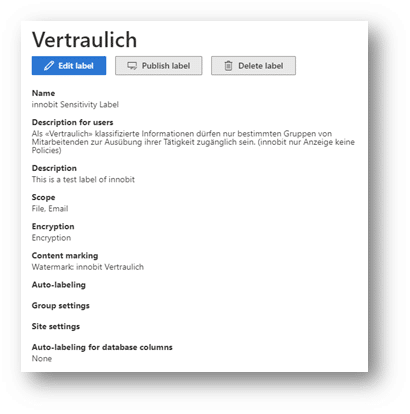
To use Azure Information Protection correctly, the administrator configures confidentiality labels, also known as sensitivity labels.
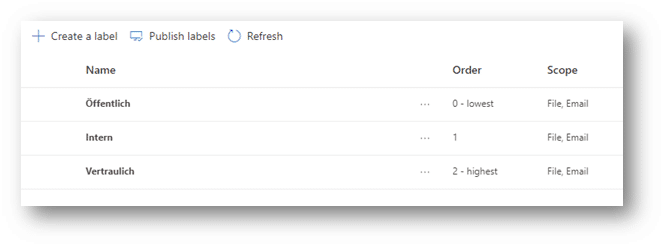
The definition of these classifications must be determined in advance by the company. Below is an example of how this can look. These classifications should be kept simple and small (3 to max. 5 classifications) and apply as globally as possible (i.e. for the entire company). However, it is also possible to define classifications that may only be used by a single department (e.g. HR).
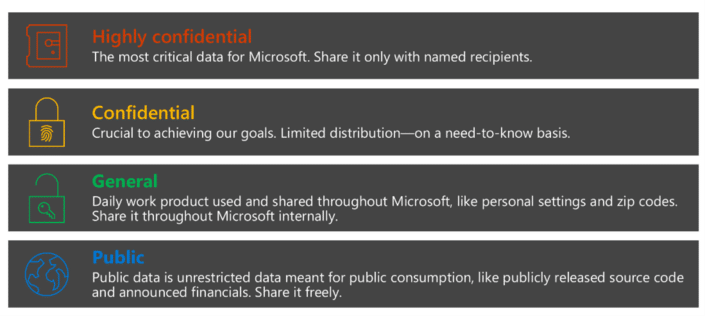
These are selected and applied by the creator of a document. The labels can be applied based on content and set various authorizations for the defined document.
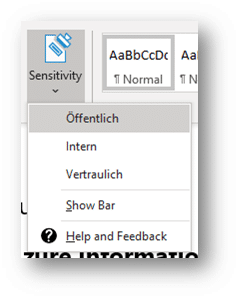
Encrypted and only visible to certain users
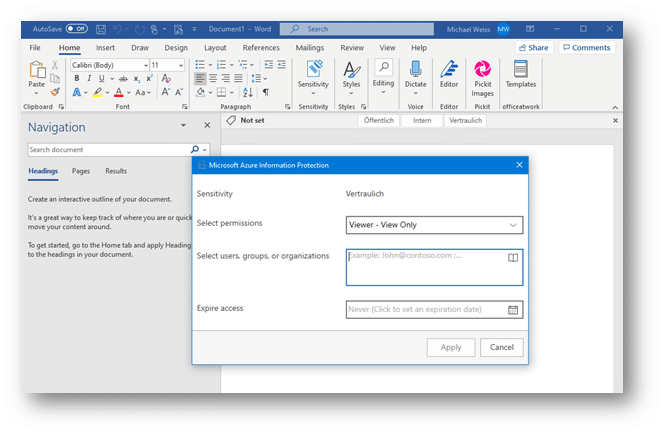
The classified document is then - depending on the selected label and the stored configuration - encrypted, for example, and can only be read or edited by certain users. Printing or forwarding by e-mail can also be prohibited. If the file is to be forwarded, the number of days on which the content can be viewed by external parties can be defined.
Azure Information Protection provides users with the "Protect" or "Confidentiality" function in their Office applications. This makes it possible to manually apply labels to emails or documents. To ensure that a protected document is deleted regardless, a justification can be requested for this process. Another option is to prohibit deletion altogether.
Granular and customized to your needs.
The administrator can assign users different labels that they can use to classify their documents. Azure Information Protection can therefore be set up very granularly.
A sensible configuration would be, for example, to create a "Confidential - all employees" label. This is available to every employee and the document is encrypted in such a way that only employees from your own organization can open it.
In addition, there may be sub-labels, which are distributed on a department-specific basis. One possibility: "Confidential - HR". Only members of the HR group can use this designation in this example and reopen the documents protected with it.
When introducing Azure Information Protection, it is advisable to talk to the relevant departments. On the one hand, to define the required labels and access to them and, on the other hand, to meet the requirements of the various processes for information protection.
Microsoft provides ready-made filters for personal data
Credit card information, ID numbers or similar are made available with a special filter from Microsoft. These filters reliably recognize this data in documents and emails. When such a content-based label is created, you can specify whether it should be applied automatically if the content of the document matches or whether it should be suggested to the user as a recommendation.
With Azure Information Protection, the benefits can also be used with existing data. With the Azure Information Protection Scanner, existing documents on local folders, network shares and SharePoint servers can be scanned and provided with the content-based labels created. With the report-only mode, the administrator can get a picture of the current situation and the consequences of labeling.
Files already in the cloud can also be integrated with the Microsoft Cloud App Security integration to automatically apply labels to content in Box, SharePoint Online and OneDrive for Business.
Use of Azure Information Protection on the client
With Office 365 version 1910, labeling is integrated directly into the Office applications.
Use of Azure Information Protection on the client
With Office 365 version 1910, labeling is integrated directly into the Office applications.
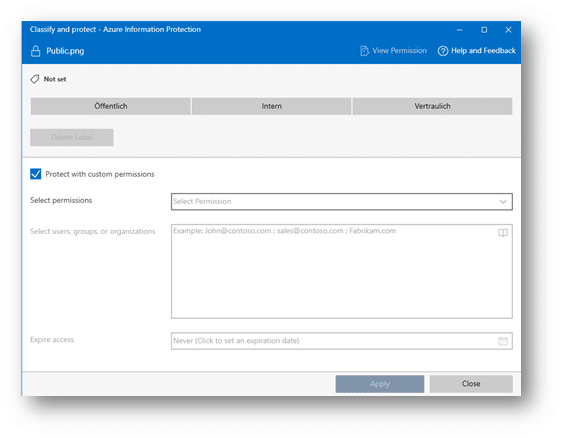
The Azure Information Protection Unified Labeling Client is required to perform the classification function directly on the file system via Explorer. This allows documents or entire folders to be classified directly without having to open the individual documents.
Tracking of forwarded files
The option to track the current document and revoke access for other people (revoke access to documents). This makes it possible to see who tried to open the document, when and from where, and whether the access was successful or not.
The shared file can be withdrawn and is then unusable for the recipient. So if an attachment is accidentally sent to the wrong person, there is no need to panic thanks to Azure Information Protection.
Conclusion
Stay in control of your data
Azure Information Protection ensures that your data is only viewed by those for whom the content is intended.
Azure Information Protection offers an intuitive, user-friendly way to securely encrypt your documents and keep track of them. With the right training, users can independently and reliably ensure that your information remains protected - inside and outside your company.
